

Creating API Keys
Category: API Reference
Last Updated: Mar 03, 2026
The first step for getting started with Mykro's API is to create your first API key.
1. Navigate to The API Dashboard Page
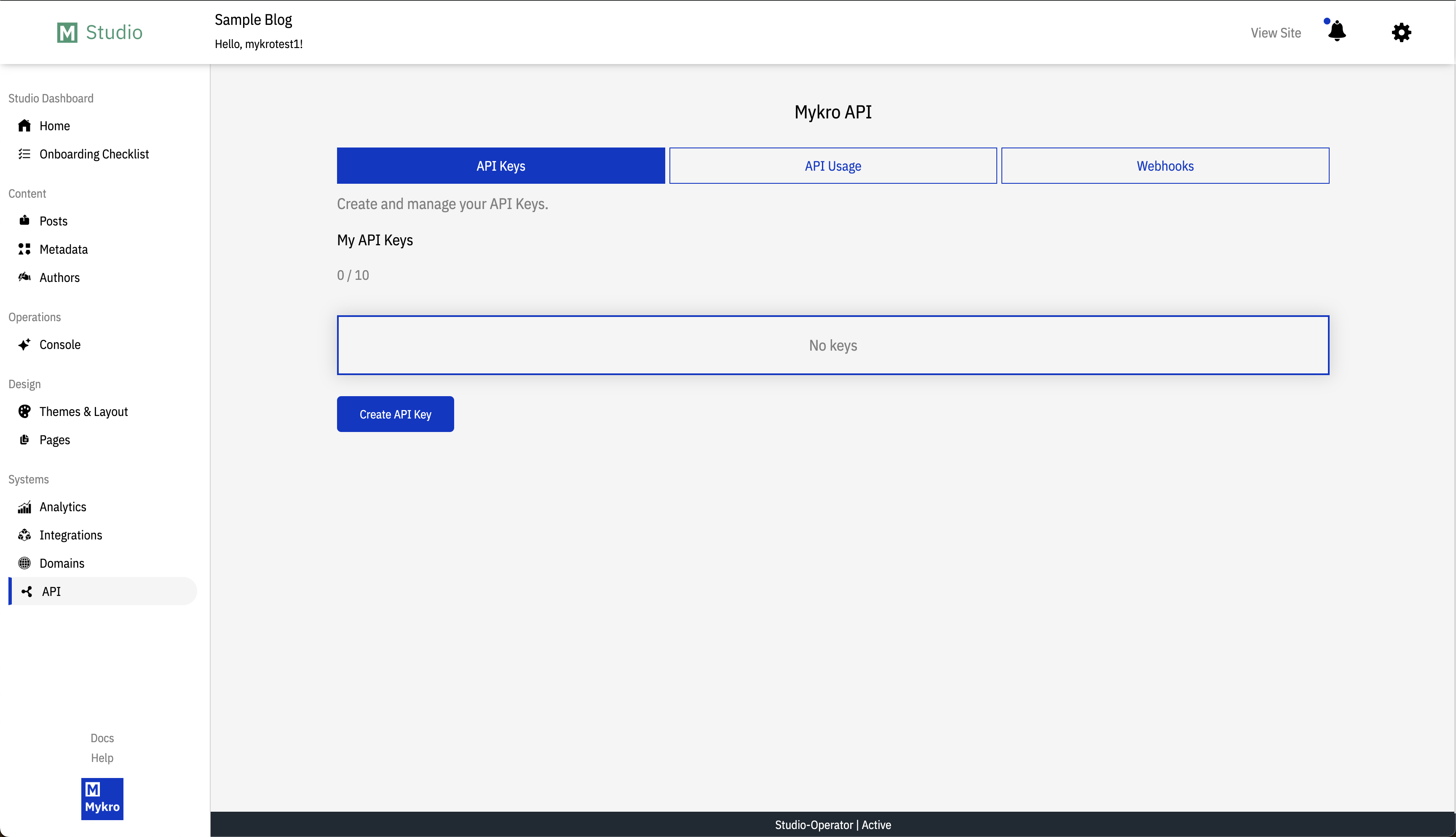
After logging in to your accout select the "API" tab on the left navigation bar, and select "Create API Key."
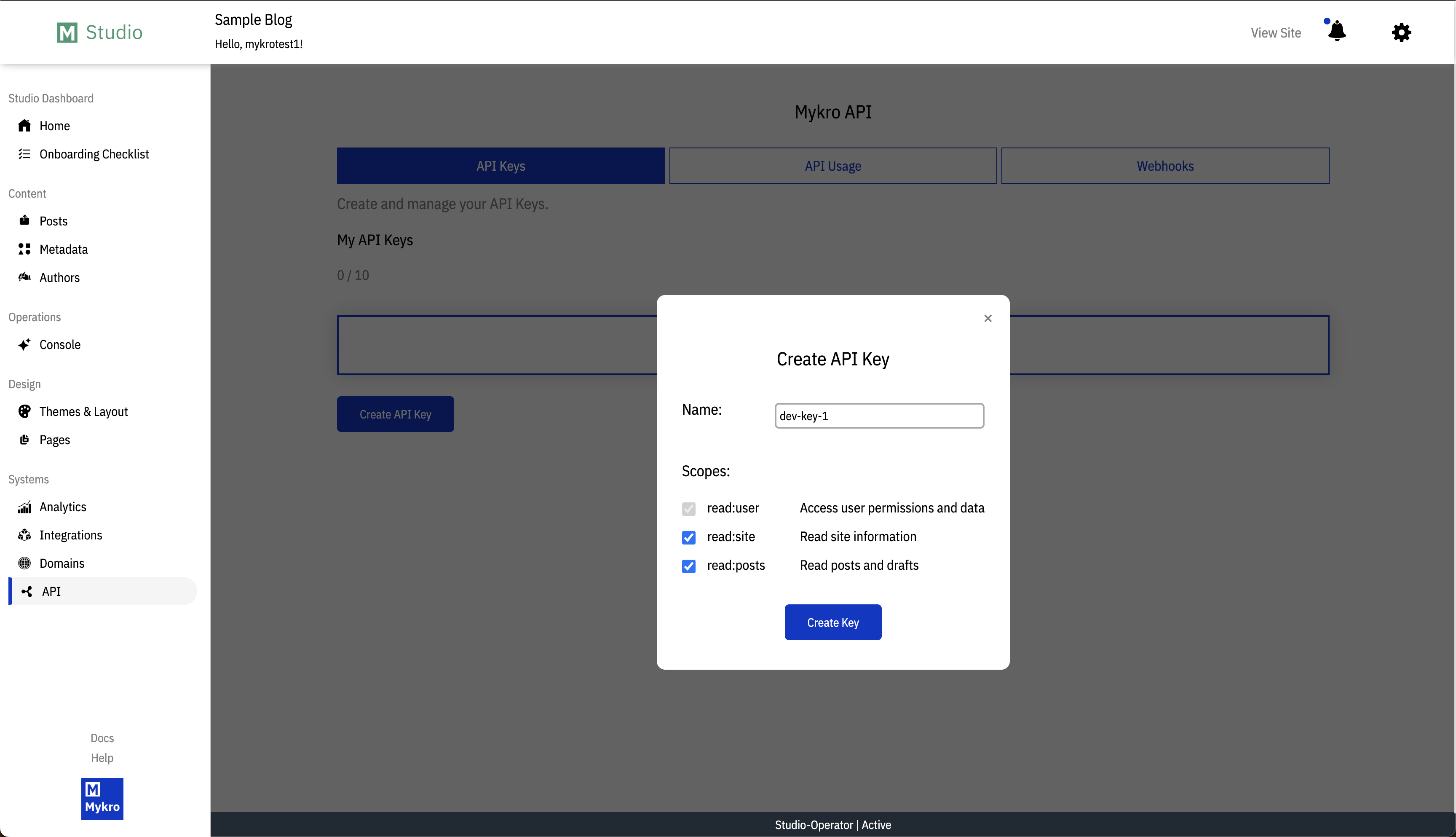
Create a name for your new key and select the scope permissions you wish to assign to this key. When you're finished configuring the scopes select "Create Key."
You will be directed to a one-time view page with your newly created API key.
Note: You must copy this key and store it somewhere safe for future use, you will not be able to navigate back to this page or see the full key again.
Your key will now be visible on the "API" dashboard page. If you click on any of your keys shown on this page, the right info sidebar will open with additional details.
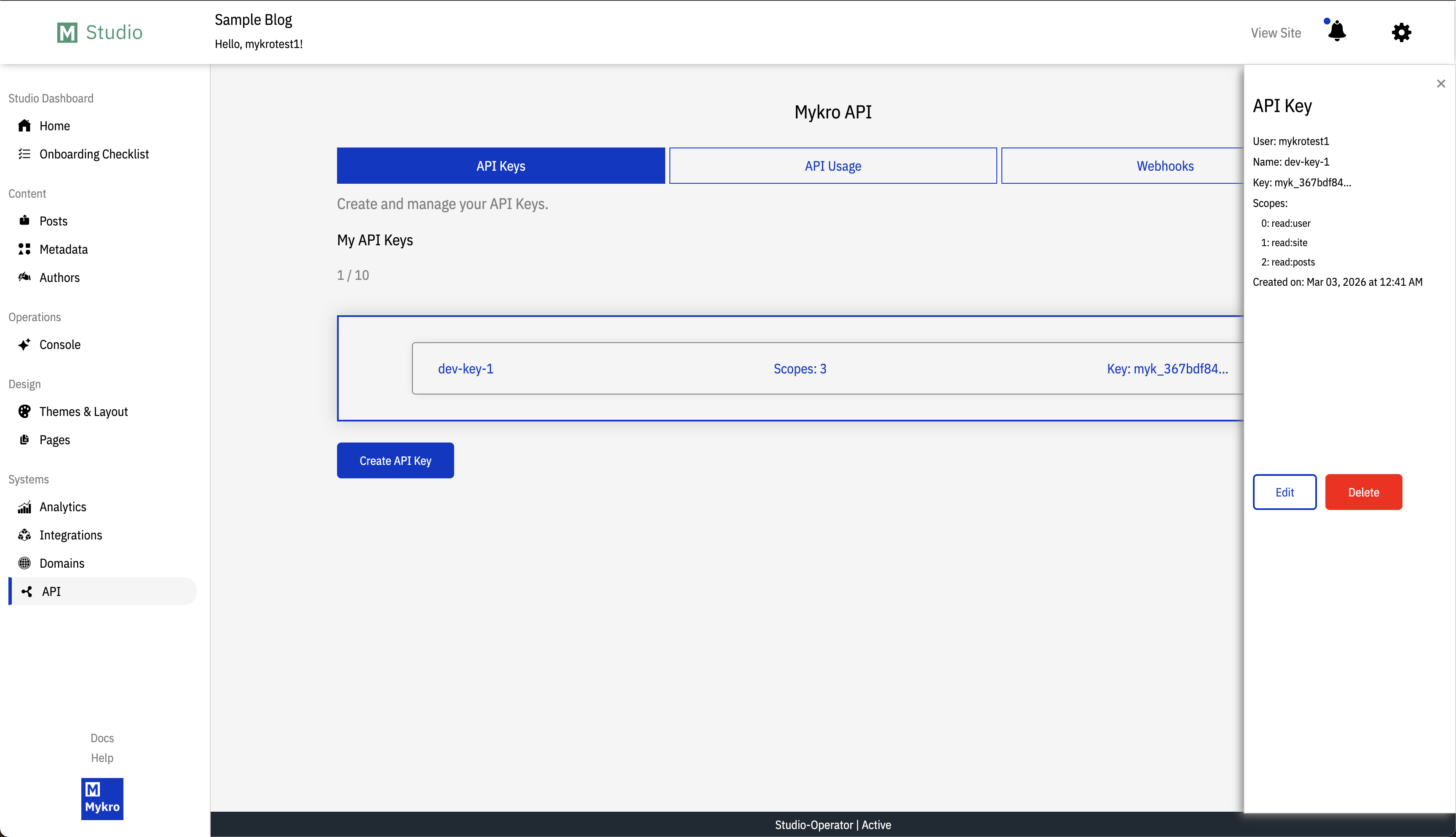
Note: You can edit your key's name, but you cannot adjust the scopes or view the full key. If you need to change the scopes or forgot your key you will have to create a new one.
Share: